










Website Refresh Now Live — Explore What's New

English

Home

Blog

How to Update cPanel License Key on VPS/...

How to Update cPanel License Key on VPS/Dedicated Server

How to Update cPanel License Key on VPS/Dedicated Server

NetShop ISP

NetShop ISP · Blog Author

Jun 11, 2021 · Technical Tutorials

In this article we will show how to easily update your server’s cPanel License. This is needed in cases when you are switching from a trial cPanel license to a paid one, switching from one license provider to another, or when you are dealing with the renewal of an expired license.

Pre-requisites / What You Need To Have

  1. Root or root-privileged account on server
  2. SSH Access
  3. A valid cPanel license

Step 1. Verify cPanel License

Firstly, you need to check if your VPS/Dedicated Server has a valid cPanel License. To do so, follow these steps:

  1. Go to https://verify.cpanel.net/ via your PC Browser
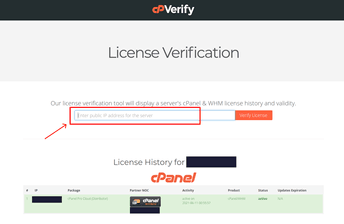
  2. Enter your Server’s IP Address in the corresponding text box and click the “Verify License” button
How to verify your cPanel License

If you have a valid cPanel license (Status Active as shown in the above screenshot) then you can proceed with the following steps in this tutorial.

Step 2. Run the cPanel License Key Update Script

cPanel offers a script which checks the status of the license and updates the server’s license accordingly. To run this script follow the steps below:

  1. Login to your Server as root
    e.g. ssh root@server_ip_address
  2. Execute this command:
    /usr/local/cpanel/cpkeyclt

Allow a few seconds and then you should see the following message:

Success! Your cPanel license has been updated on server and you can now login to WHM/cPanel.

Fully Managed cPanel Web Hosting in Cyprus, Malta and UK

Now you can host your website and e-mails in our fast and optimized cloud hosting environment with Free cPanel.

Our web hosting plans start from €5 per month and are available in Cyprus, Malta and the United Kingdom.

If you are interested for VPS or Dedicated Servers, cPanel Control Panel can be purchased as an addon service/license.

cpanel
how to
Press Releases
92
Industries
115

Free VPS Trial

No Credit Card Required.

Start Your VPS Hosting Free Trial

Recent Posts

NetShop ISP Website Facelift Goes Live, Featuring New SaaS & AI Hosting Pages

NetShop ISP Website Facelift Goes Live, Featuring New SaaS & AI Hosting Pages

18 December, 2025

How To Install Plesk Control Panel on Almalinux 9 using the CLI method

How To Install Plesk Control Panel on Almalinux 9 using the CLI method

15 December, 2025

NetShop ISP Launches “Digital Shield” to Strengthen Network-Wide DDoS Protection

NetShop ISP Launches “Digital Shield” to Strengthen Network-Wide DDoS Protection

10 December, 2025

NetShop ISP Extends Its Multi-Year Support as Sponsor of the Cyprus Fintech Summit 2025

NetShop ISP Extends Its Multi-Year Support as Sponsor of the Cyprus Fintech Summit 2025

26 November, 2025

Lessons from the recent AWS & Cloudflare Outages

Lessons from the recent AWS & Cloudflare Outages

19 November, 2025

#letushostyou

Award Winning Hosting Provider established in 2004.

Best iGaming Service Provider

120 Faneromenis Avenue, Imperial Tower, 2nd Floor, Larnaca 6031, Cyprus

Products

Bare Metal Servers

Customized Servers

Virtual / Cloud Servers

Forex VPS

cPanel Web Hosting

Reseller Web Hosting

Colocation

Low-latency Connectivitynew

by XConnect

Addons

Premium DNS

Email Hosting

Cloud Backup

DDoS Protection

Licenses

SSL Certificates

Domain Names

Premium SLAs

About Us

Data Center Locations

Looking Glass

Our Company

Contact Us

Careers in Cyprus

Become a Partner

Awards

Certifications

© 2025 S.S. NetShop Internet Services Ltd. All rights reserved.  Terms & Conditions |  Privacy Policy
CY Reg. Number: HE 217340 | EU VAT Number: CY10217340J

Visa
Mastercard
PayPal
Bitcoin
Tether
Ethereum
Litecoin
Wise
Revolut
Wire Transfer