










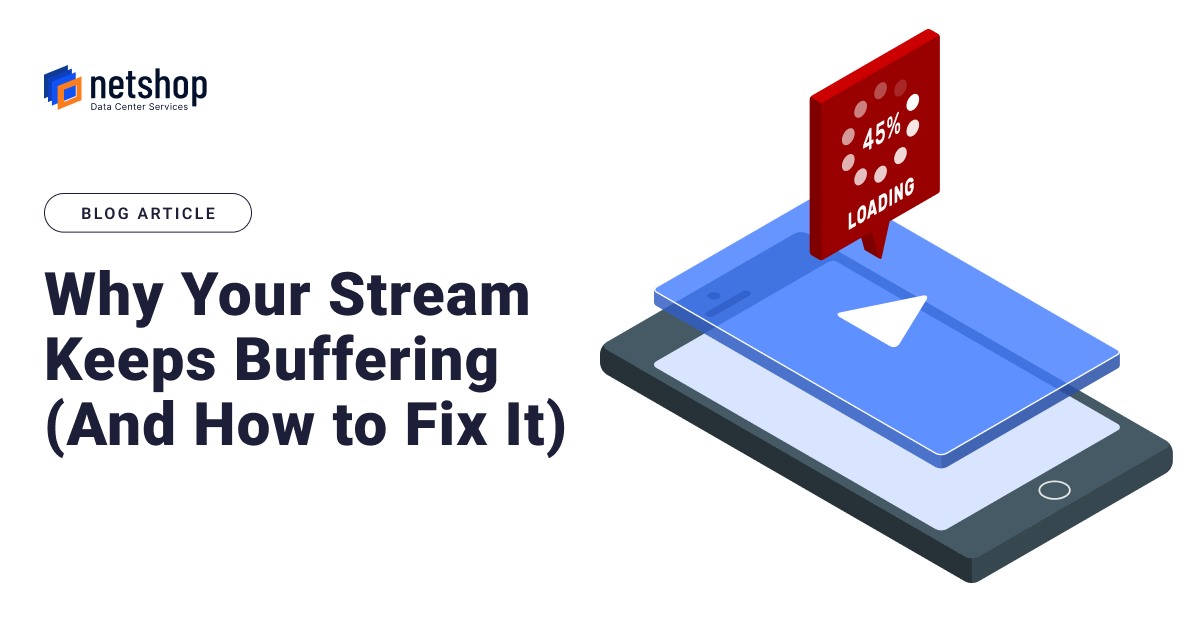

Nothing kills a live stream faster than a spinning loading icon. Whether you’re running an IPTV platform, broadcasting a football match, or hosting a corporate webinar, that split-second freeze is often all it takes to lose a viewer for good. They won’t wait around to see if it clears up; they’ll switch tabs, close the app, or worse, tell their friends your platform is unreliable.
The frustrating part is that most buffering problems aren’t mysterious. They come down to a handful of well-understood issues in how the hosting and network side of a stream is set up.
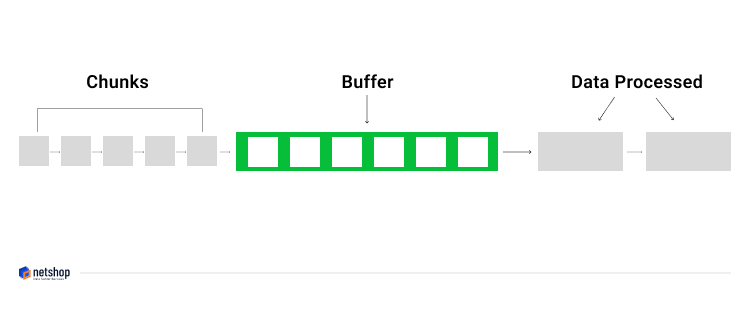
In this article, we’ll break down the reasons why buffering occurs on streaming, and how can you can fix it.
Bandwidth Is Usually the First Culprit
If there’s one issue that causes more buffering complaints than anything else, it’s bandwidth. Every stream needs a certain bit rate to play cleanly, and if the hosting environment can’t keep pace with that, viewers are going to see stalls, dropped frames, or quality that keeps downgrading itself mid-stream.
This tends to catch people out more than they expect, especially once a platform starts to scale. A single HD channel is one thing; multiple channels, or 4K content, and bandwidth requirements climb fast.
A few things help here:
- Run on servers built for high network throughput, not shared infrastructure that’s already stretched thin
- Don’t oversell your bandwidth. If the numbers on paper only just cover peak demand, you don’t actually have headroom
- Make sure your bitrate settings are realistic for the infrastructure you’re actually running on, not just what looks good in a spec sheet
Routing and Jitter Cause Problems Even When Bandwidth Is Fine
There is one thing a lot of people miss: you can have plenty of bandwidth and still get a choppy stream. That’s usually down to routing. If traffic is taking an inefficient path across the network, or bouncing between poorly peered networks, you end up with jitter.
In networking, jitter is the variation in the delay (or latency) of data packets arriving at their destination.
Jitter shows up as things like:
- Video that stutters even though the connection “looks” fine
- Audio drifting out of sync with the picture
- Buffers filling and draining unpredictably
- Streams freezing for a second or two, seemingly at random
None of this is really about capacity. It’s about the quality and consistency of the path data takes to get from server to viewer. Good peering relationships and properly optimised routing solve most of it. This is one of those areas where the underlying network matters just as much as the server itself.
Skipping a CDN Hurts More the Bigger Your Audience Gets
If you are streaming to people in one area/region, a single server setup might genuinely be fine. The moment your audience spreads out geographically, though, that same setup starts working against you. Every request has to travel back to one origin point, which adds latency and puts a growing load on your servers as more viewers tune in.
That’s the problem a CDN (Content Delivery Network) solves. It caches your content at points closer to the viewer, cutting down round-trip time and taking pressure off the origin server.
Without a CDN in place, your servers are handling every single request directly, and that’s exactly the kind of load that tips a stream from “smooth” into “buffering.”
Bad Encoding Settings Waste Bandwidth
Sometimes the infrastructure is fine, but the stream itself is poorly setup. Encoding that’s misconfigured (e.g. bitrates set too high, frame rates that aren’t consistent, or codecs the playback device doesn’t handle well) burns through bandwidth for no real quality benefit, and often causes exactly the buffering it’s trying to avoid.
Adaptive bitrate streaming is the fix most platforms should be using by default. It lets the stream adjust itself in real time based on each viewer’s actual connection, rather than forcing everyone onto a single fixed quality. Someone on a fast fibre connection and someone on mobile data both get a version of the stream that actually plays properly for them.
Servers That Can’t Keep Up With Processing Demands
Live streaming depends a lot on the hardware behind it: encoding, transcoding, and delivering video in real time is genuinely resource-intensive work. A server without enough CPU headroom, insufficient RAM, or no GPU acceleration will start to struggle as demand increases, even if the network side of things is solid.
Typical warning signs of this include:
- Running several high-resolution streams on hardware that’s only really built for one
- No hardware acceleration to offload the encoding workload
- Other background processes quietly eating into the resources your stream needs
Getting Streaming Right with the Right Hosting
Buffering isn’t usually one big failure. It’s a combination of smaller things, any one of which can be enough to disrupt playback. Not enough bandwidth, poor routing, no CDN, sloppy encoding, or underpowered servers can each cause the exact same symptom: a viewer staring at a loading wheel instead of your content.
If you’re planning a streaming project and want the hosting side taken off your plate, that’s exactly where NetShop ISP comes in. From dedicated servers with real network headroom to CDN integration and routing built for live delivery, NetShop’s streaming infrastructure solutions are designed specifically for platforms that can’t afford to buffer.
For more information or to get a free quote please contact our Streaming hosting specialists https://netshop-isp.com.cy/contact-us/.